Professional Grade Stocks Trading Platform
The Best Platform for Commission Free Stocks & Options Trading
Full Access - No Obligation Trial
Dive into the action with your $100,000 simulated trading account included with each trial. Experience the full power and potential of our platform, risk-free! (No credit card needed.)
Advanced Order Functionality
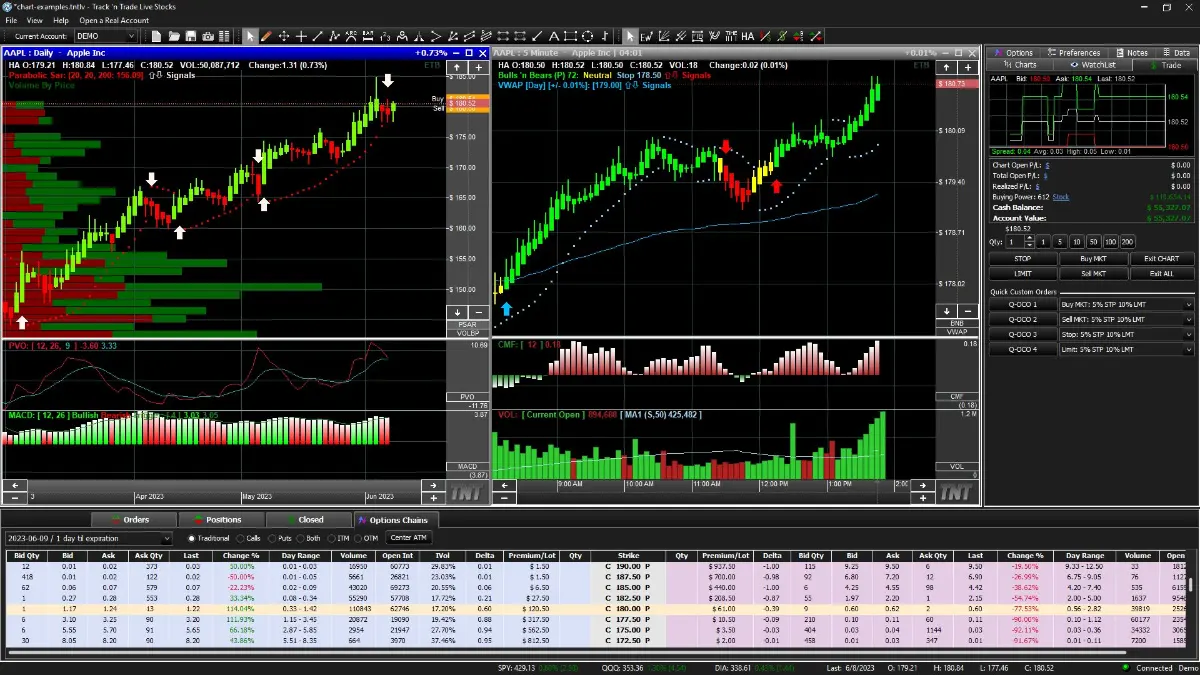
Unleash the power of seamless trading with Drag-n-Drop order placement with our user customizable OCO & OTO orders buttons. Prepare for every market scenario with preset multi-leg option strategies. All these features designed for single click execution!
Proprietary Indicators and Auto-Trading
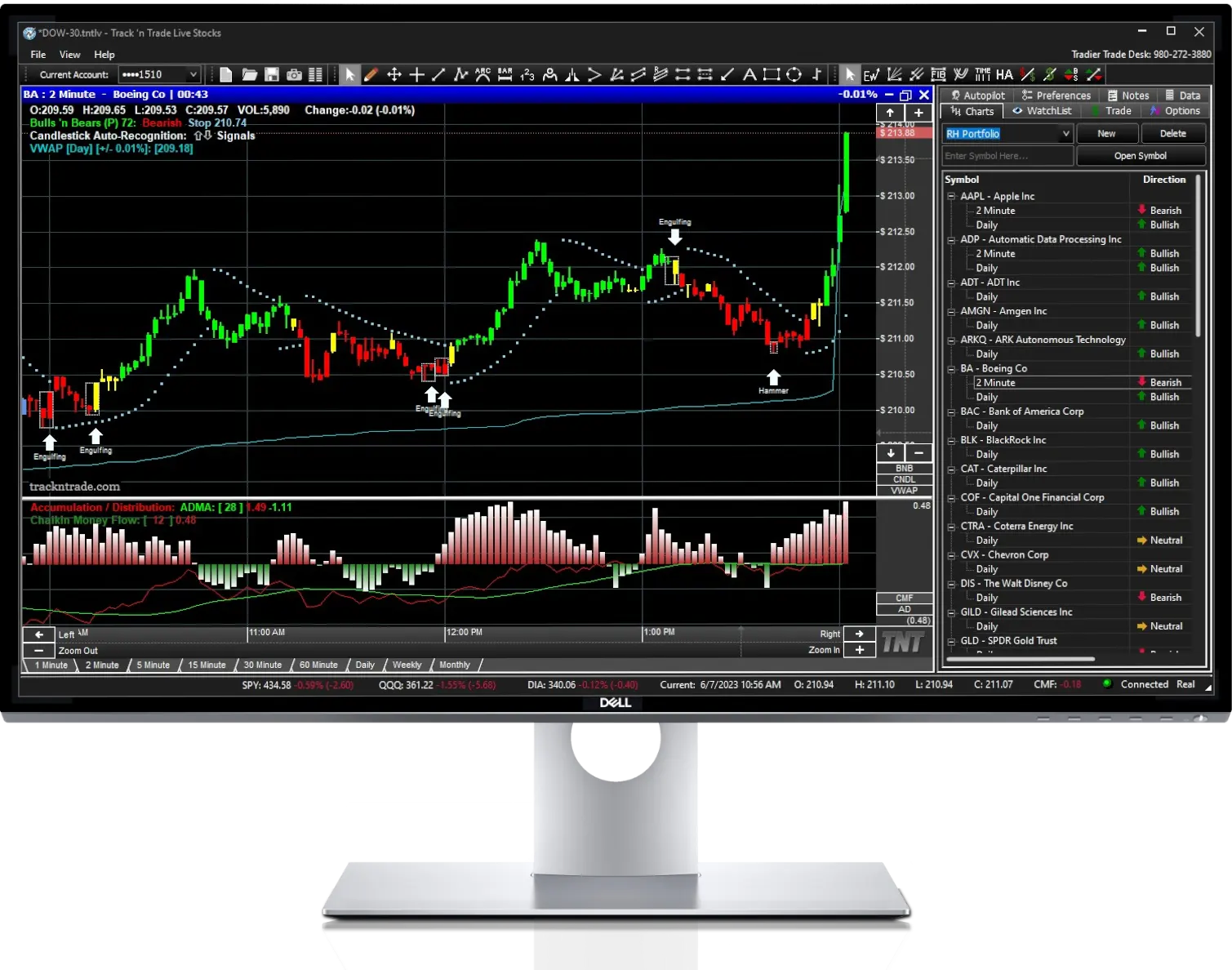
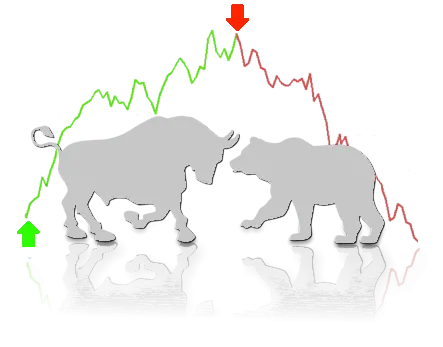
Experience the thrill of trading with our award-winning Bulls 'n Bears system, or command the markets effortlessly with our innovative Autopilot auto-trading system. Shape your personal trading strategy and watch it come to life, all with no programming required.
14-Day Trial
No Credit Card Needed
The Future of Trading is Track 'n Trade
Commission Free Stocks & Stock Options
Conduct In-Depth Technical Analysis
- Experience Agile Real-Time Trading Simplified: Manage Your Portfolio with Precision.
- Take Control of Your IRA or Personal Trading Account: because your investments deserve your expert care.
- Monitor and Analyze NYSE, AMEX, Nasdaq Stocks, and ETFs: Stay informed on important market moves.
- Execute and Display Track 'n Trade Stocks & Options Trades directly on the chart: Seamless Trading at Your Fingertips.
- Go from Strategy to Execution with a Single Click: Leverage What-If Scenarios for Optimal Entry Points.
- Navigate the Market with Our Proprietary Red, Yellow, Green Bulls ‘n Bears System: Customizable Buy/Sell Signals Indicating Bullish/Bearish trends.
- Conduct In-Depth Analysis with Real-Time Intraday Charts: Customizable Timeframes for Minute, Daily, Weekly, and Monthly analysis.
Advanced Order Capabilities
Complex Multi-Order Placement Made Easy
Drag ‘n Drop Orders, Trade Directly From The Chart
- Set Trailing stops and limits with One-Cancels-Other (OCO).
- Enter with precision using OTO orders (One-Triggers-Other).
- Drag-n-Drop OCO & OTO Orders directly on the chart.
- Designed for the visual investor & technical analyst.
- Graphical User Interface makes it intuitive and easy to place and edit orders on the fly. Click ‘n Drag to move orders.
- Your order and risk management abilities are now easier and more visual than ever before.
Try Before You Buy Guarantee
No Credit Card Needed
Transform Your Stock Options Trading
Drag 'n Drop Calls and Puts with Precision
Simplicity meets Sophistication
- Streamline your complex options strategies with intuitive simplicity.
- Boost your options trading capabilities with our visually compelling platform.
- Simplify the deployment of intricate options strategies with ease
- Gain real-time insights into your options relative to the underlying stocks.
- Make more informed, with potentially higher profitable trades with our user-friendly platform.
- Navigate the complex world of stock options trading with ease and clarity.
- Combine technical analysis with stock options to compound your profit potential.
"Track 'n Trade is like the
Ferrari of trading platforms, I Love it."

- Dr. Scott Brown*
PhD Finance
*Testimonials are not a guarantee of future success
BULLS 'N BEARS
Ranked #1 Trading System
Stocks & Commodities Magazine Traders' Resources
*Testimonials are not a guarantee of future success

AWARD WINNING
Seven Times
Stocks & Commodities Magazine
*Testimonials are not a guarantee of future success
Platform Free Trial
14-Day Full Access
$0
- Stocks, ETF's and Options
- Real-Time Stock Market Data*
- 100K Paper-Trading Demo Account
- One-Click Trading
- Drag-n-Drop Orders
- Multileg Options
- Advanced Technical Tools & Indicators
- Proprietary Trading System & Signals
- And So Much More...
No Credit Card Needed
Platform & Trading
Unlimited Commission Free Stock Trading
$69/mo
Billed Quarterly
- Track 'n Trade LIVE Stocks Trading Platform
- Unlimited Stocks Trading and $0.35/Option*
- No Minimums, No Ticket Charge
- Real-Time Streaming Data
- Drag-n-Drop Order Placement
- Customizable If-Then Orders (OTOCO)
- Proprietary Trading System & Signals
- Includes simulated paper trading account
- Create portfolios and Watchlists
- Easily manage your orders and trades
*Stock Brokerage services are offered by Tradier Brokerage. Index Options (DJX, NDX, OEX, RUT, SPX, VIX , XEO, XSP) are subject to a $0.35/contract commission in addition to any other charges for exchange, OCC and regulatory fees. Other fees and applicable minimums may apply see Tradier Fee Schedule for more details. Simulated demo data is up to 15-min delayed. Tradier Brokerage, Inc., is an independent subsidiary of Tradier Inc. All rights reserved. Member FINRA/SIPC. Gecko Software & Track 'n Trade, its members, agents, employees and representatives, act only as a technology vendors and are not members of FINRA/SIPC.
Please Review Your Cart Details
item(s)